Facebook Posting Issues
If you receive an error when posting that indicates Facebook permission issues or you don't see a Facebook Page listed, it could be that some access permissions were not granted
Facebook Business Admin Settings
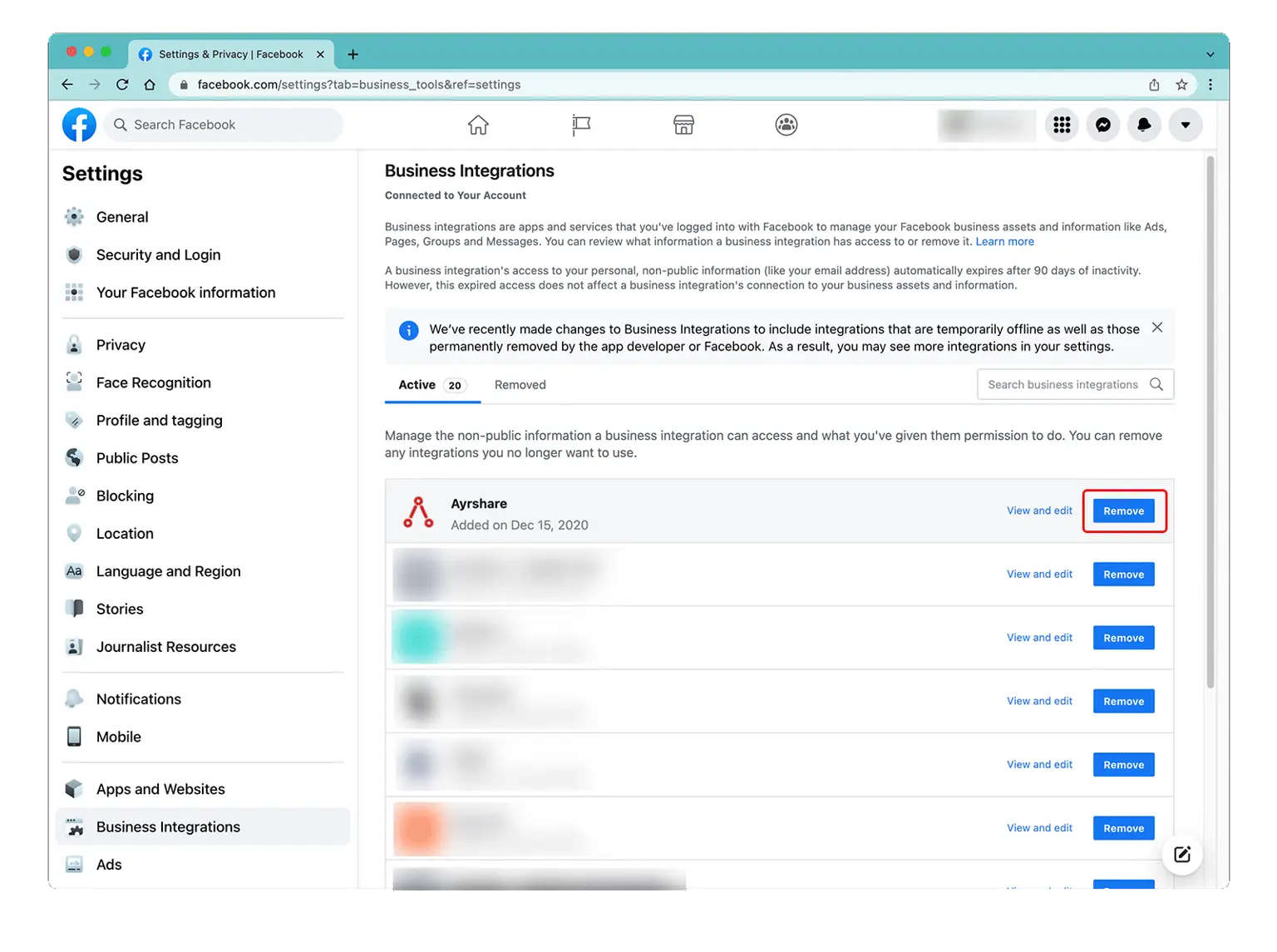
Access the Business Integration page by logging into Facebook and go to "Setting" -> "Settings & Privacy" -> "Security & Login" -> "Business Integration".
Edit Facebook Permissions
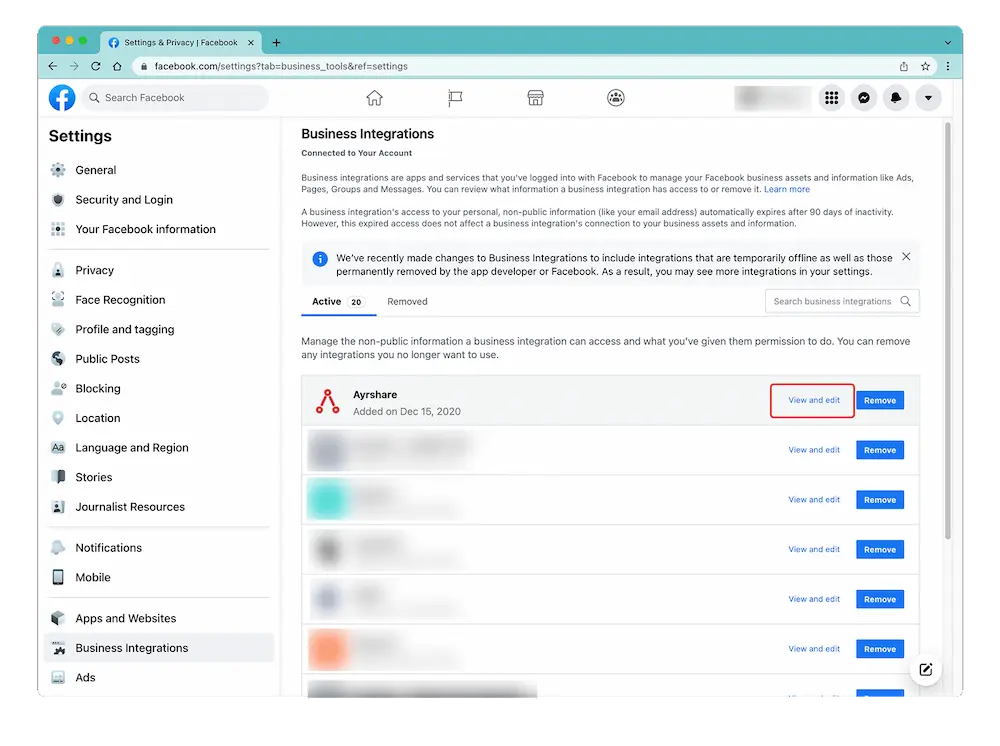
On the Business Integration page, click the ACME App and choose "View and Edit".
A pop-up will show. Scroll down to "Create and Manage Content on Your Page" and ensure that it is enabled. If you see a checkbox with "Pages" then check it to select all pages.
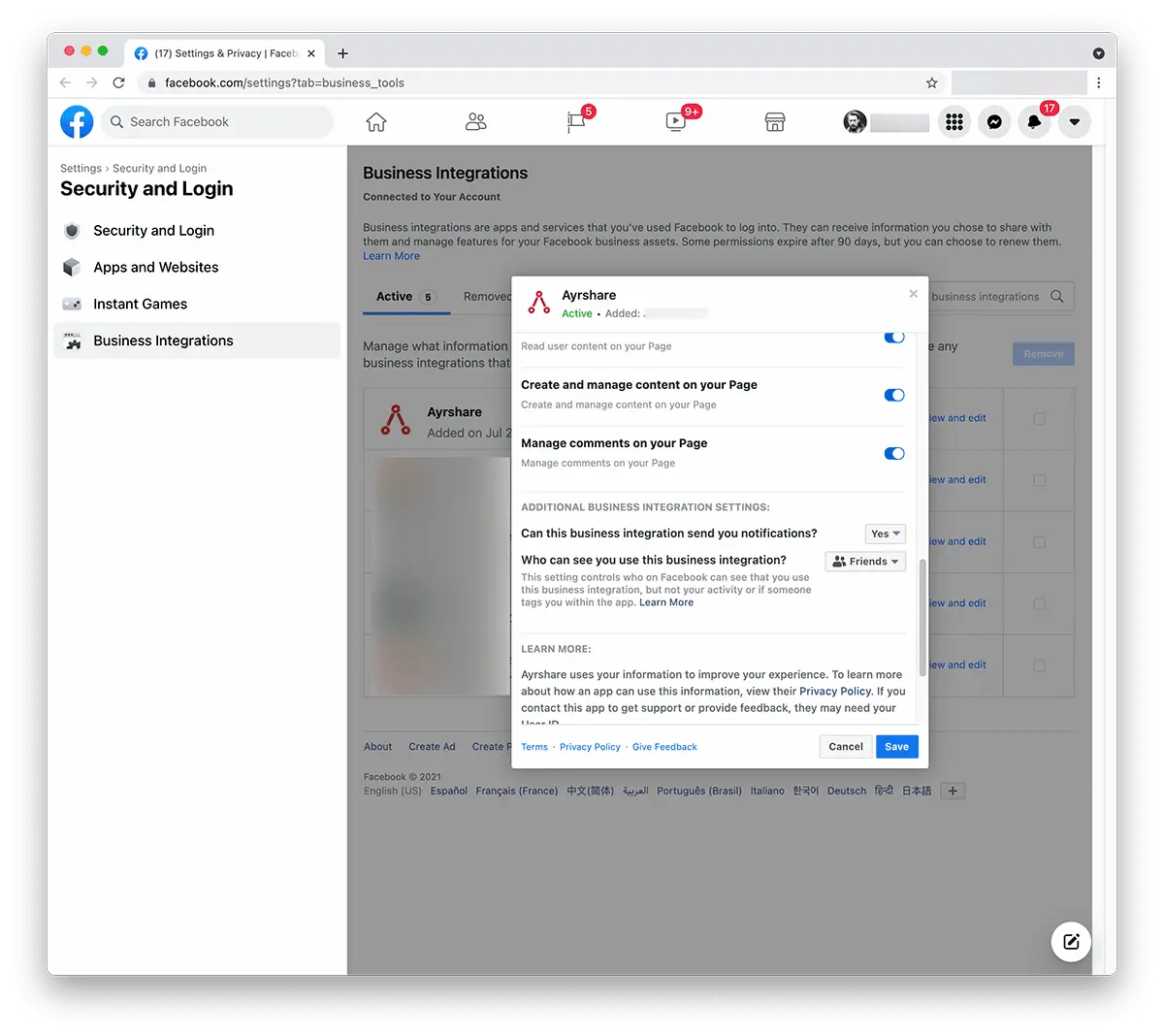
Click "Save".
Head back to the ACME Dashboard and unlink and relink Facebook. You should now have the correct permissions.
Still Having Issue with Facebook Permissions?
If the issue still persists, please go back into the Facebook admin settings under Business Integration and "Remove" the ACME app. Go back into the ACME Dashboard unlink and relink Facebook.