
Bluesky Linking
Authorizing Bluesky with ACME
How to Link Bluesky with ACME
Authorizing Bluesky with ACME is simple. You will need to enter your Bluesky handle and a one-time app password.
The Bluesky app password is used to sign in to other Bluesky clients without giving full access to your account or password. You will create this one-time app password in settings section of Bluesky and in the format of XXXX-XXXX-XXXX-XXXX.
The app password is not your Bluesky password you use to sign in to Bluesky.
Please see below for more information.
Authenticating Bluesky
On the Social Accounts page, click the Bluesky icon.

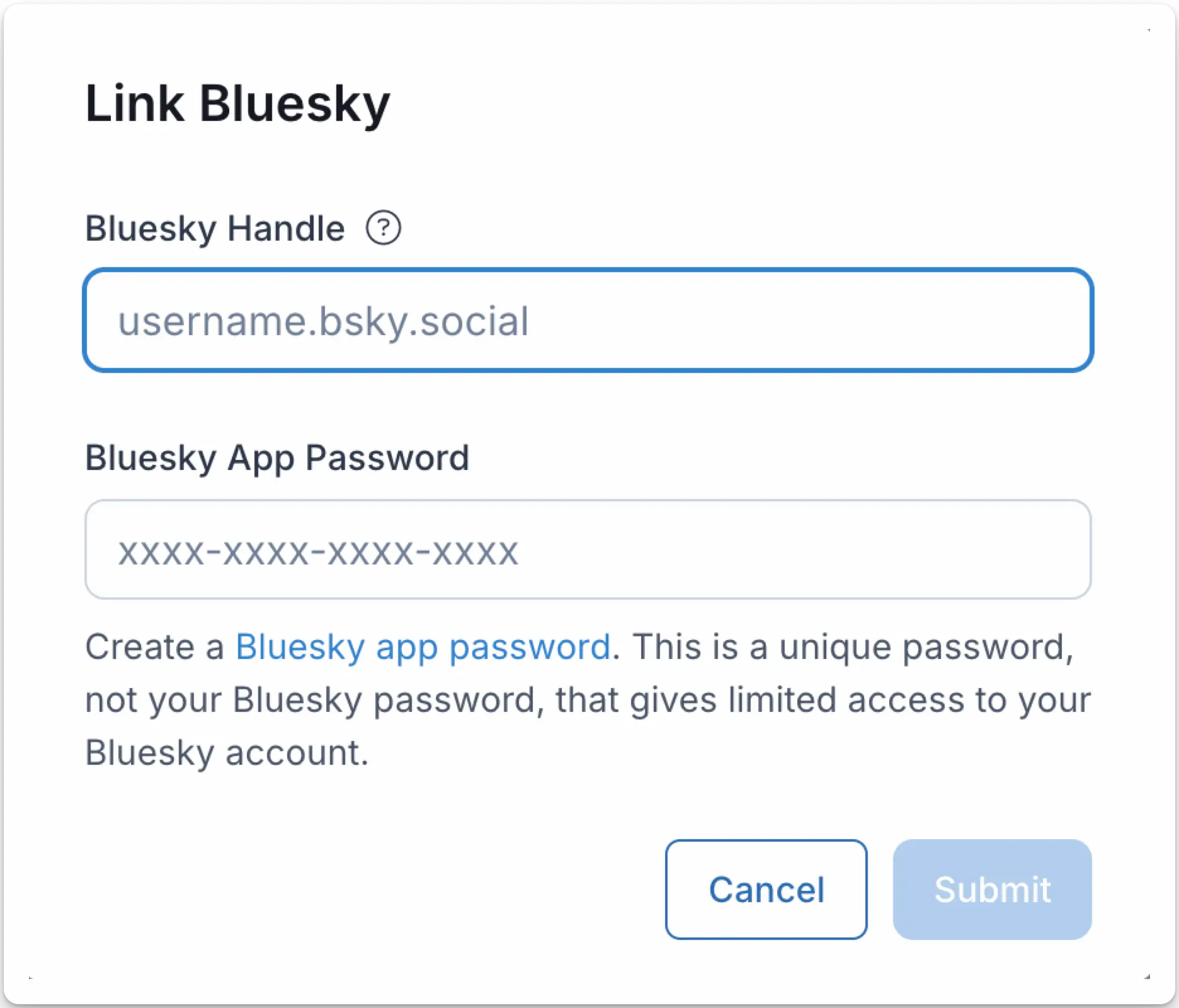
The Bluesky authentication page will open in a modal.
- Enter your Bluesky handle, which can be found in your Bluesky profile. For example,
@acmeoracme.bsky.social. - Create a one-time Bluesky app password. Copy the password to your clipboard. The password should be in the format of XXXX-XXXX-XXXX-XXXX.
- Enter the app password in the ACME Bluesky App Password field and click Submit.
Your Social Accounts page will now be updated with your Bluesky account.
You can publish Bluesky posts, get Bluesky analytics, and manage Bluesky comments.
Additional Bluesky Information
- Please see here for details on posting to Bluesky, getting analytics, managing comments, or retrieving history.
- For more information on recommended image sizes, please see: